 TOM
TOMTrust
Trust, by mechanism
Each part below is described as a mechanism, with the fact that lets you check it.
Your wallet stays yours
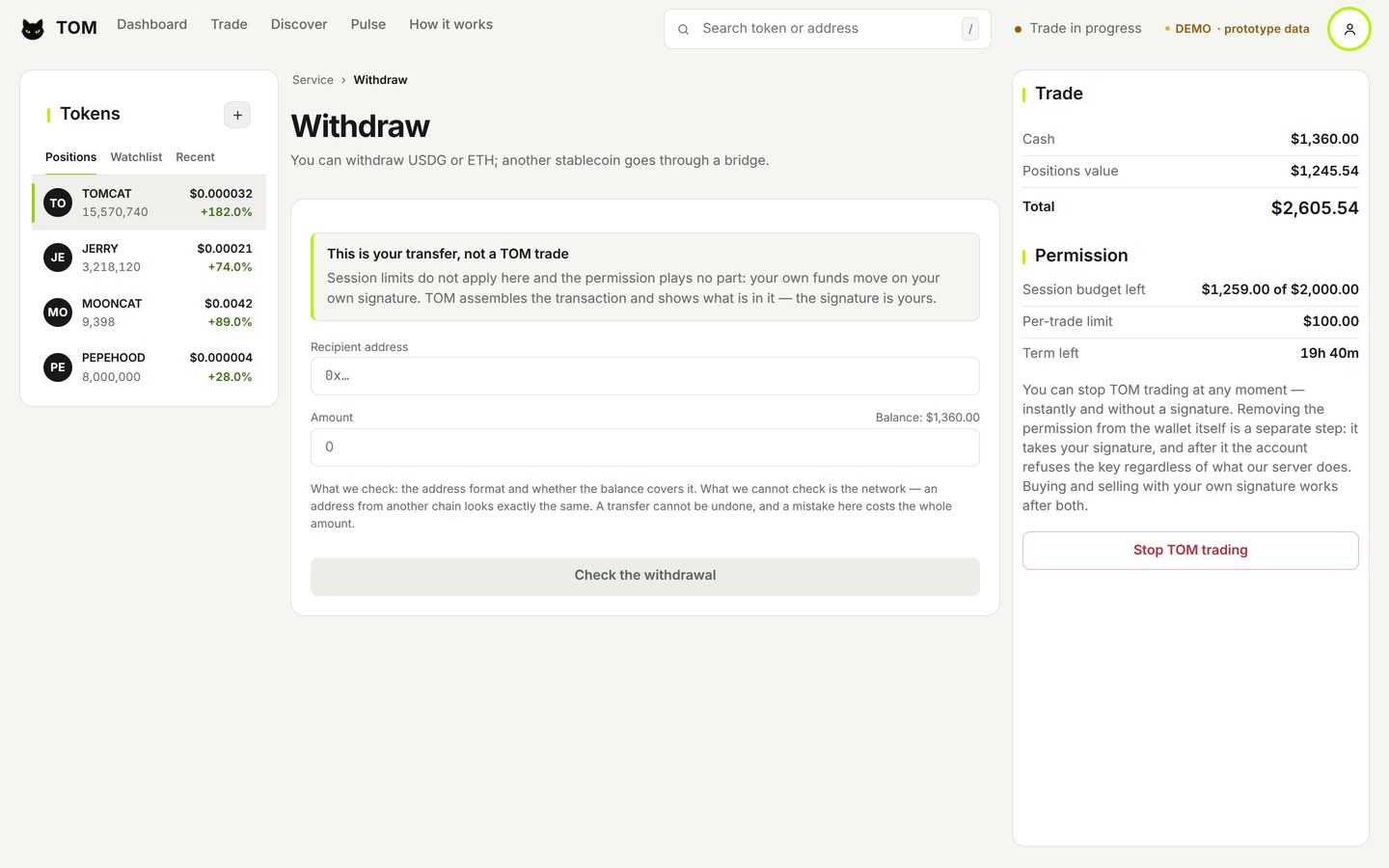
TOM uses a self-custodial wallet: TOM never holds your key.
The permission you give TOM is a budget with an expiry. It does not limit where that budget goes: within it, the permitted tokens could leave your wallet. TOM uses it only for trades. Keep the budget small, and revoke it at any time.
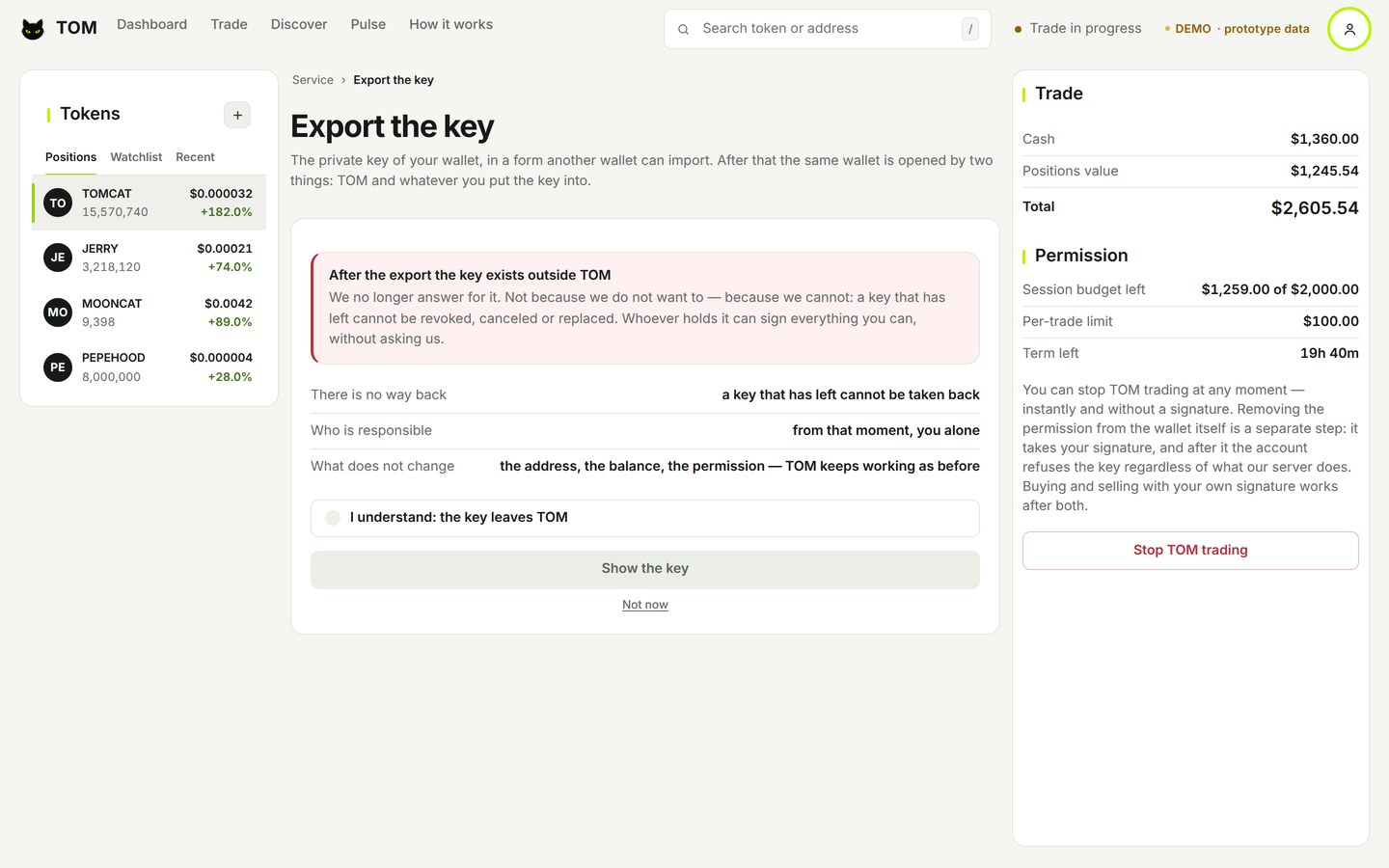
Key export to another wallet is part of the Web Terminal design. It is not available in the current team phase.
Before TOM can trade for you, you confirm an email. It is your way back in if you lose access to Telegram.
TOM’s checks, and your decisions
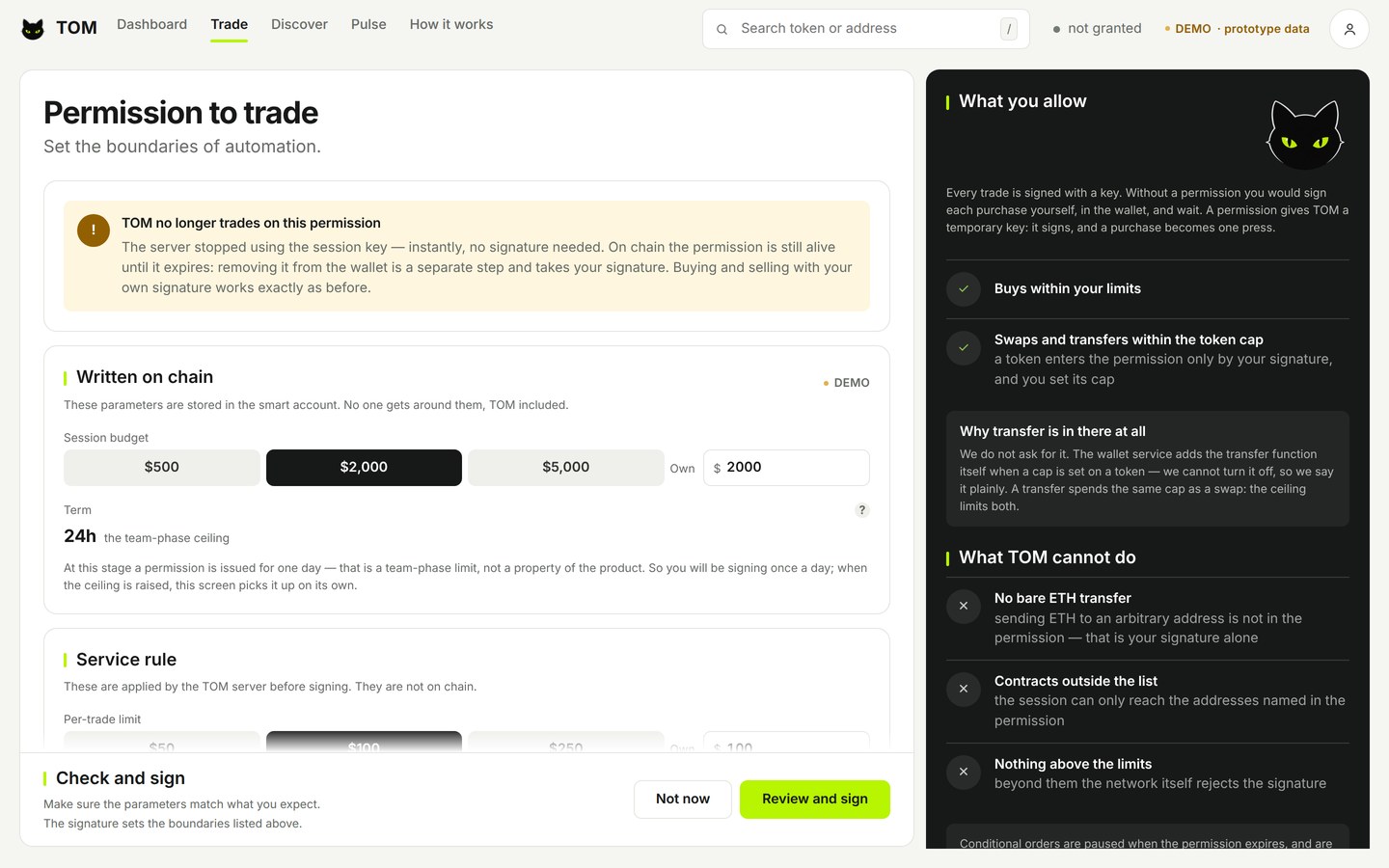
Your permission has a budget, an expiry and a list of allowed contracts, written to your smart account.
Rules checked by TOM’s server run before every signature, and a refusal always names the rule.
Some decisions stay with you: how large the permission is, how long it lasts, and when to revoke it.
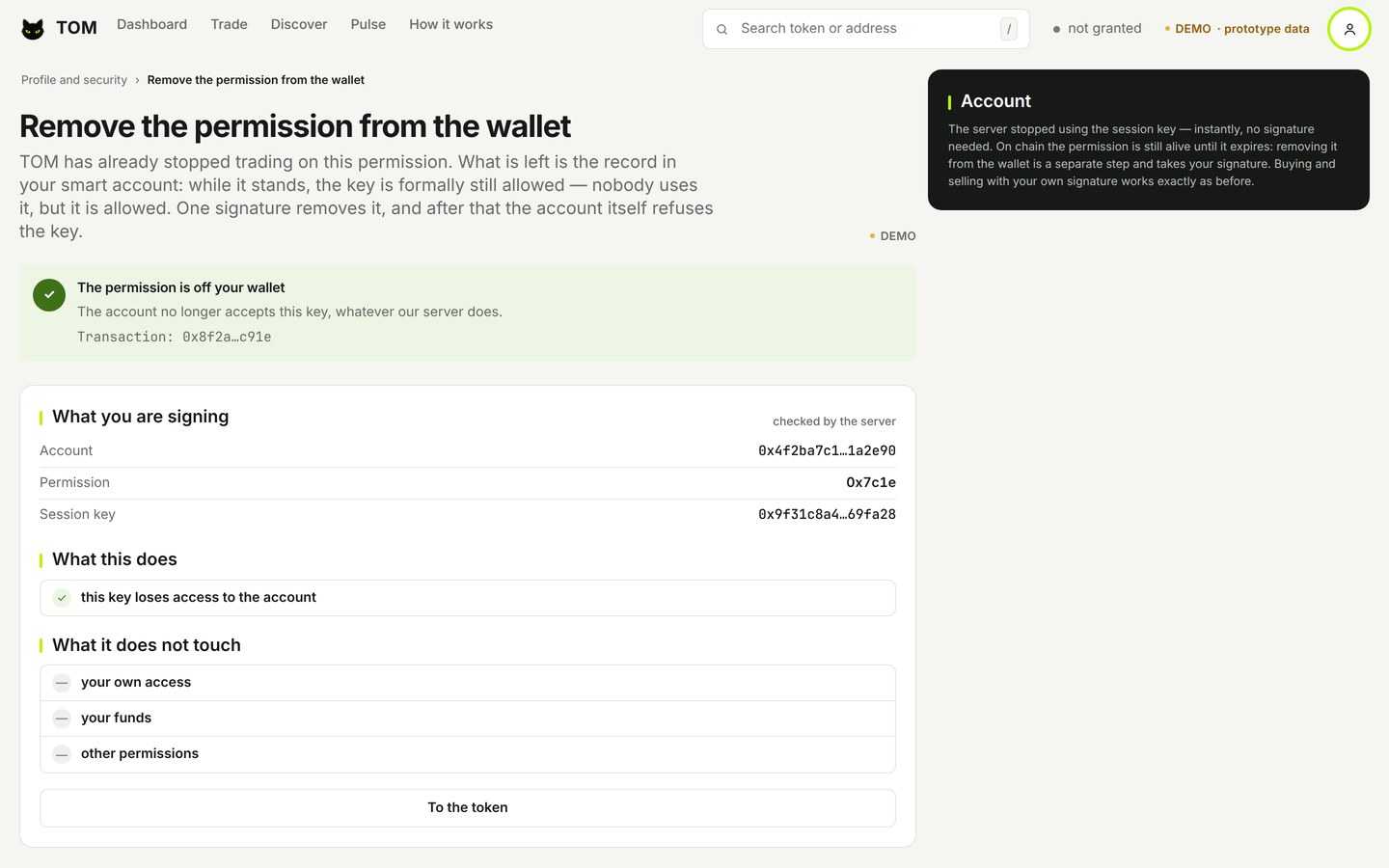
Revoke, in two steps
Revoke the permission, and TOM stops using it at once. Then you remove it onchain with a separate transaction you sign, and TOM shows it when the network confirms it.
Emergency switches
TOM can pause trading across the product at once. The switches have been tested on a running server, on the test network. Revoking a permission is never paused.
A ledger of decisions
Every trade is recorded before it runs. The ledger only grows, and any change to a past entry shows.
Reviewed before it goes live
A separate security review checks each stage before it goes live. What it finds stays open until it is fixed.
Every statement on this site about what TOM does is checked against the code before it is published.